 Flushodds
The Vlog
Film the session and log it at the same time.
The footage is the easy half. Finding the hand again is the half that eats your week — so every entry is stamped against the video as you make it.
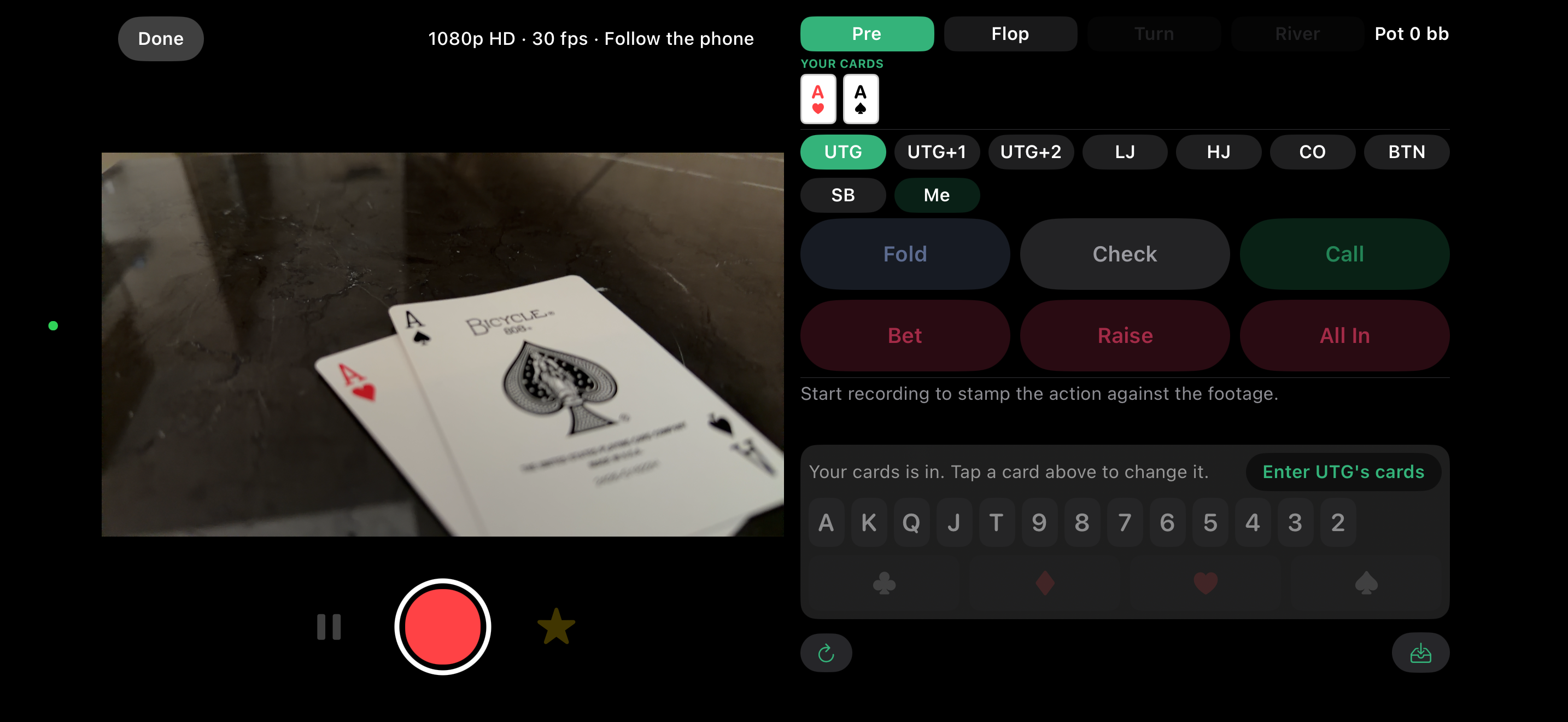
Camera on one side, hand on the other
Turn the phone landscape — the way a table is actually filmed — and the hand sits beside the video. Filming follows the phone: hold it sideways and you film landscape, hold it upright and you film portrait.
- Pause mid-hand, so ten minutes of folding never reaches the edit
- Sizes on a keypad that never covers the table you are filming
- Big blinds or cash, whichever the table is talking in
- The card keyboard is fixed in place, and each street takes only its own cards
- It follows the action — you cannot log a check facing a raise
- Logging an action moves to the next seat, the way a hand goes round
- The screen stays awake while the camera is open
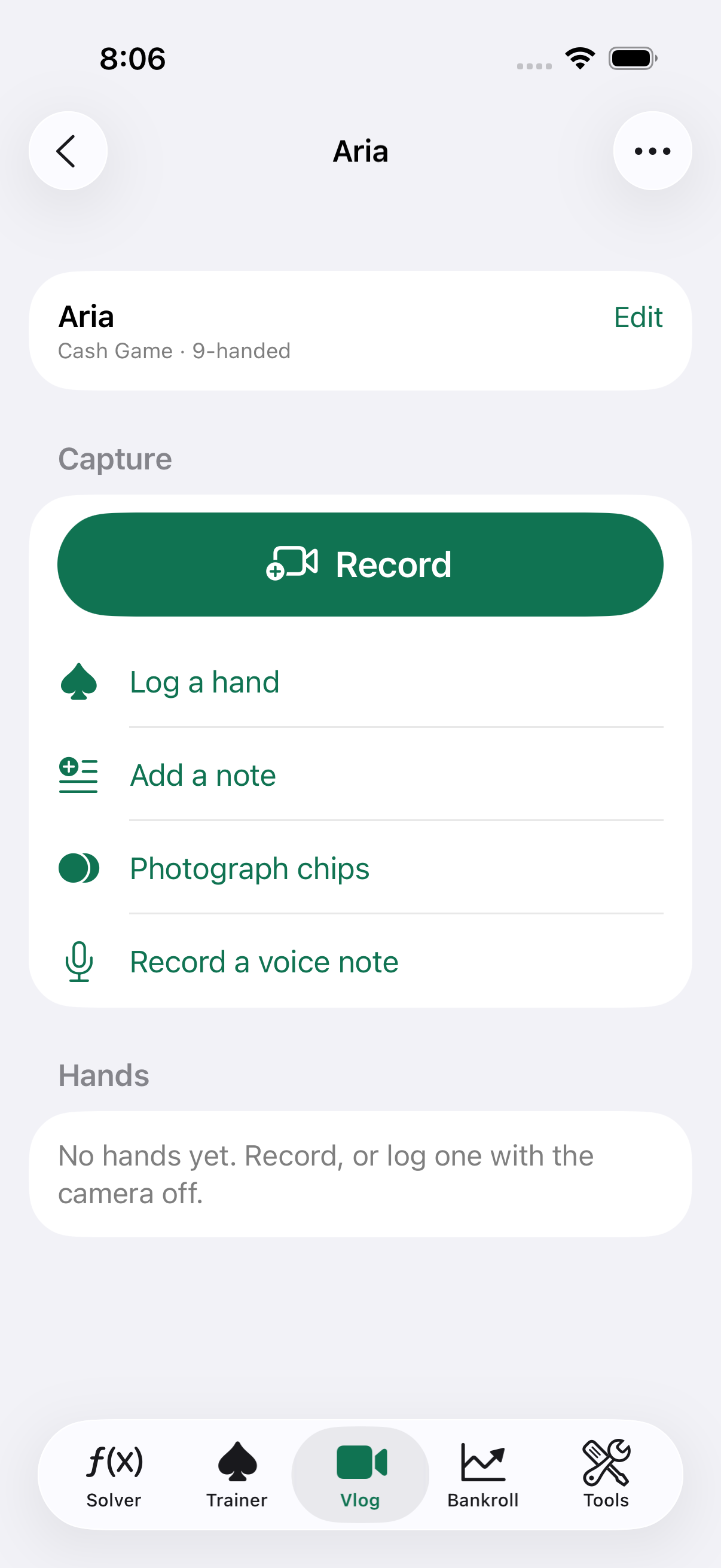
One session, everything hanging off it
Venue, stakes, buy-ins and rebuys go in once. After that every clip, hand, note and photograph belongs to that session.
- Tap a hand to open the footage at that hand
- A voice note about one hand, not about the whole night
- Photograph the chips and the app reads the color and the value
- Cards an opponent turned over, recorded against their seat
- 1080p or 4K, at 24 or 30 fps, following the phone or locked either way
Getting it into an editor
This hand as a clip
The footage trimmed to the hand, with a couple of seconds either side. Cut on the device.
Final Cut XML
A timeline with a marker on every action. Times are snapped to frame boundaries, because Final Cut rejects a marker that is not.
Chapters, CSV and WebVTT
For a YouTube description, a spreadsheet, or a subtitle track.
Straight into Files
Clips live under On My iPhone › Flushodds › Vlogs, so they drag into iMovie or Final Cut with no export step.
Cards entered in two taps
Rank then suit, on a keypad that never covers the table you are filming. It is the fastest thing on the screen and it is always right, which is why it is what the recorder does.
Reading cards from the camera is in Labs, and off
Measured against fifty-one photographs of a real peeked hand it read 41 of 102 cards and suggested 139 that were not there. It does better on a board face up on the felt than on two cards pinched in your fingers. Turn it on if you want to try it; it offers and never fills a hand in by itself.
Chips, lifted off the felt
Background removal on the device, switchable off. It reads the color and any value printed on the chip, and offers both rather than filling them in.
A room's chips, remembered
Chips are filed under the venue, so the next time you sit at the same cardroom the ones you already recorded are waiting. Cash and tournament chips are kept apart — the same green is $25 at one table and 500 worthless points at the next. Tools › Chips is the same records browsed by room rather than by session.
The room, picked not typed
Venues are recorded once and chosen from a list, with favorites at the top. “Aria”, “aria” and “ARIA” typed across three months stop being three rooms in your year-end numbers.
What you see is what is recorded
The viewfinder is drawn at the shape of the file, so a portrait recording shows black down both sides. What is inside the bars is what the recording keeps.
Your video does not sync, and it never will. Hands, notes and session details mirror through your own private iCloud. Footage is gigabytes and there is no server behind this app to put it on.
A clip filmed on your phone therefore appears on your iPad as a real entry with the hands intact and a line saying which device the video is on — rather than claiming it is missing.